Lennox S40 Smart Thermostat
The ultimate controller for precise comfort
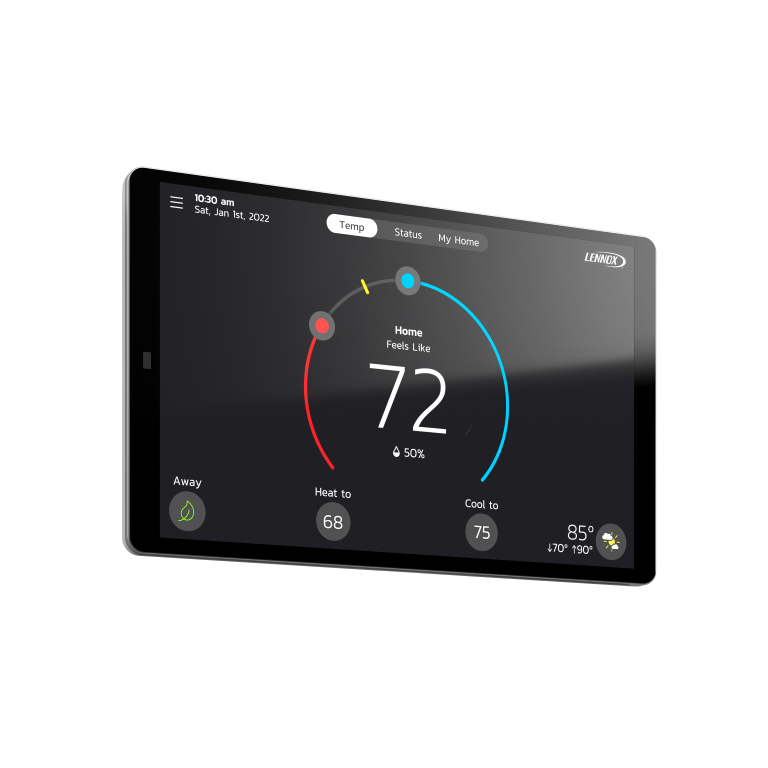
Welcome to your Home Comfort Command Center. Unlike most smart thermostats, the Lennox S40 Smart Thermostat is more than a temperature regulator. It's the command center for your entire system, with the incredible ability to monitor sensors throughout your home and in all your equipment. From detecting air pollutants and customizing comfort by room to providing maintenance and service reminders, it will even automatically alert you if your system goes out of tune and allow you to remotely share diagnostics with your local Lennox dealer. The Lennox S40 Smart Thermostat not only provides the most precise and perfect air, it also gives peace of mind.
This truly digital product is part of a fully communicating home comfort system. Sensors in the equipment allow the thermostat to diagnose issues and automatically make system adjustments to more precisely and efficiently maintain temperature, humidity and air quality. Complement your system with our suite of technologically advanced accessories to more precisely and efficiently maintain the temperature and air quality in your home. The Lennox Smart Air Quality Monitor is the only monitor of its kind that can detect air pollutants and trigger air cleaning on demand. Add on Lennox Smart Room Sensors to more evenly balance temperatures across rooms, plus the Lennox Wireless Extender to nearly double the connection coverage area and ensure you get the most from your communicating equipment. Altogether, it's the most advanced accessories package available that delivers next-level perfect air.
Complete control at home or away. Remote control of your home environment is just one touch or voice command away with the Lennox S40 Smart Thermostat.
Getting Started
Getting Started
Setup Wi-Fi
- 1. From the thermostat's home screen, go to Menu > Settings > Wi-Fi.
- 2. Slide the option to the ON position to enable Wi-Fi.
- 3. Press on "Not Connected" to display a list of available access points.
- 4. Locate home network and select the network name.
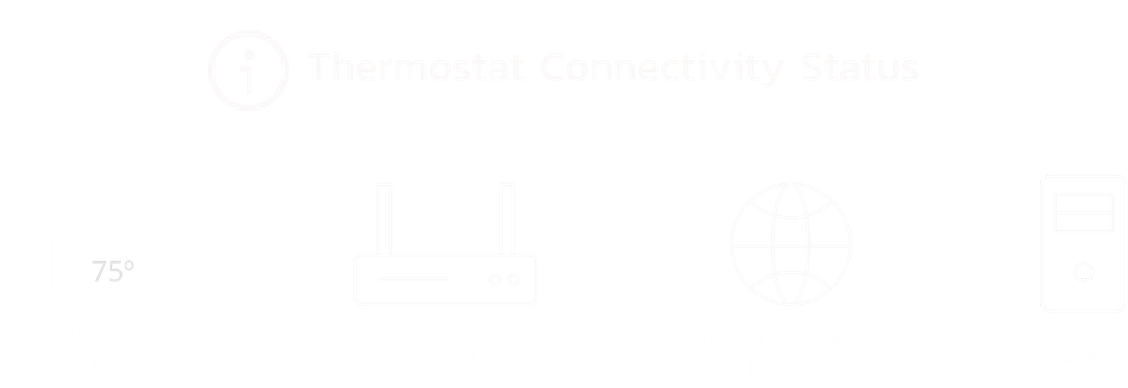
- 5. Enter the home Wi-Fi network password and press join to continue. If successful the Thermostat Connectivity Status indicator as illustrated below will show checkmarks across all connections.
-
Step 1 of 4
Step 2
Create Your Account Login Credential on your Lennox Smart Thermostat
Once your Lennox Smart Thermostat is connected to Wi-Fi, you're ready to create an account and take control. If you already have an account, simply sign in using your email and password. From your thermostat's home screen, go to Menu > User Account.- 1: Select “Create New Account.”
- 2: Enter account details such as your first and last name, phone, email address, and password.
- 3: Select whether you want to receive e-mail updates, reminders and performance report.
- 4. Select allow your dealer to receive notifications (highly recommended).
- 5. Select agree to EULA.
- 6. Enter your information and select Next. Enter your country/region, address, city, state, and zip code.
- 7. Select Create Account.
Step 2 of 4
Step 3
Adjusting Temperature
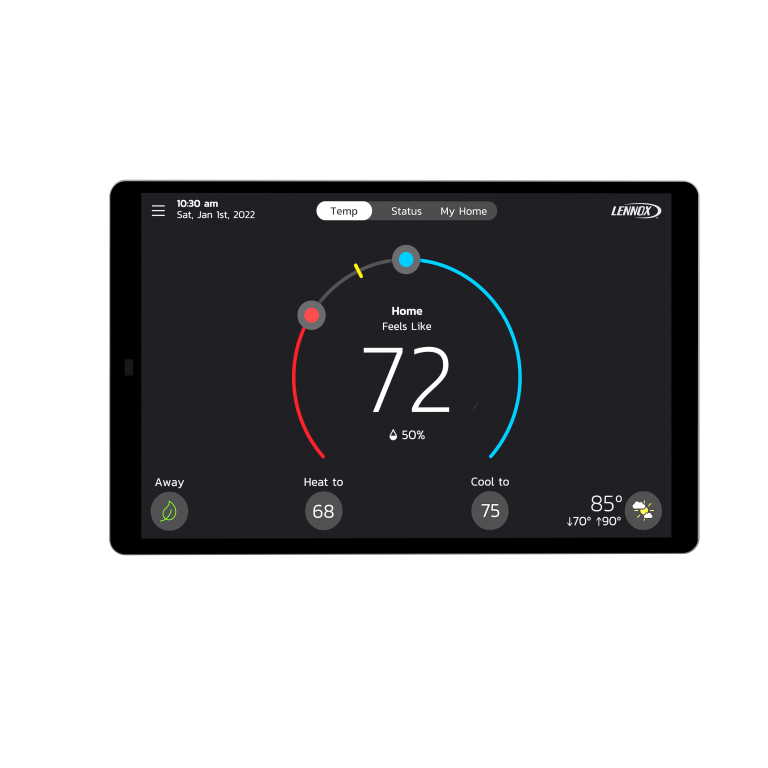
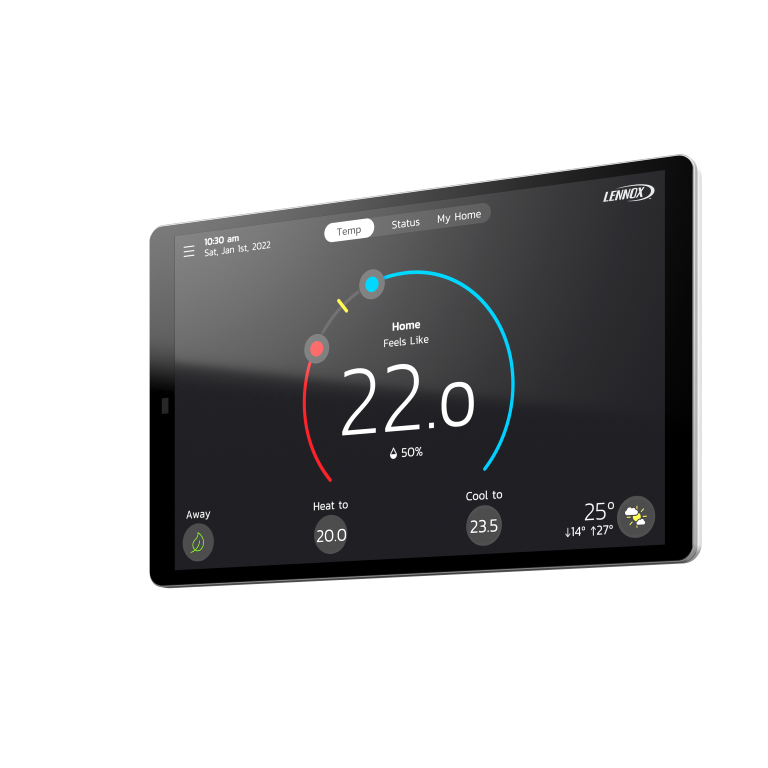
Tap your thermostat's home screen to go to the horseshoe-shaped dial where you can adjust the temperature in either of two ways:- 1. Using the Horseshoe Dial - Touch the red circle to adjust the temperature in heating mode and the blue circle to adjust it in cooling mode.
- 2. Tap “Heat To” or “Cool To” Icons - Tap either of the “Heat To” or “Cool To” icons where a detailed horseshoe dial will allow you to select the perfect heating or cooling temperature setpoint.
Step 3 of 4
Step 4
Download the Lennox Home App
Complete control at home or away. Remote control of your home environment is just one touch or voice command away with the Lennox S40 Smart Thermostat. Monitor temperatures and schedules from anywhere in the world using the Lennox Home App on your smartphone or tablet. Available on Store and Google Play


Step 4 of 4
FAQs
-
How do I set up or create an account?
-
How do I add a thermostat to my Account?
-
How do I reset my password?
-
How do I create a Lennox Smart Thermostat account if I have moved into a home that has already registered the thermostat?
-
What information and adjustment settings are displayed on my thermostat screen?
SPECIFICATIONS
-
Take your home comfort system to the next level
Complement your home comfort system with our suite of technologically advanced accessories to more precisely and efficiently maintain the temperature and air quality in your home (Smart Room Sensor and Smart Air Quality Monitor – sold separately) -
Complete control at home or away
Remote control of your home environment is just one touch or voice command away with the Lennox S40 Smart Thermostat. Monitor temperatures and schedules from anywhere in the world using the Lennox Home App on your smartphone or tablet. -
Smart Home Integration
The Lennox S40 Smart Thermostat effortlessly integrates with a range of smart home devices—from premium smart home systems like Control4 to popular virtual assistants like Amazon Alexa and Google Assistant. -
Precise Comfort® Plus
Works with Lennox digital variable-capacity equipment to offer the highest level of comfort and overall system performance
-
PureAir™ S compatible
The PureAir™ S Purification System is equipped with smart and sensing features that make maintaining your system a breeze. Built-in sensors monitor the life of both the filter and the purifier UVA light so you don't have to. When it's time to change the filter or the purifier, the PureAir™ S lets you know through your Lennox S40 Smart Thermostat. -
Weather Screen Savers
Themed screen savers on the 7" HD color touchscreen are designed with graphics that tell you what weather conditions are like outside -
Weather-On-Demand
Provides current outdoor temperature and a five- or seven-day forecast -
Basic Alerts
Automatically emails alerts to you and your preferred Lennox dealer if the system needs service or maintenance
-
Advanced Alerts
Monitors all of the system components and uses advanced diagnostics to identify the issue -
Climate IQ® Technology
Monitors humidity levels indoors and outdoors and automatically adjusts compressor speed to maximize dehumidification performance. DLSC or Elite Series digital variable-speed air conditioner or heat pump required. -
Digitally intelligent for precision and efficiency
This truly digital product is part of a fully communicating home comfort system. Sensors in the equipment allow the thermostat to diagnose issues and automatically make system adjustments to more precisely and efficiently maintain temperature, humidity and air quality -
Energy Savings
Programmable schedules save energy when no one is home -
Filter Reminder
Reminds homeowner when it is time to change the filter
-
Automatic Changeover
Automatically changes between heating and cooling systems to keep the house comfortable in spring and fall -
Color Touchscreen
Large, easy-to-use display with adjustable brightness -
Run-Time Report
Shows how long the heating or cooling system has run -
Smart AwayTM Mode
Smart AwayTM Mode uses the GPS in your smartphone to detect when you're leaving, and automatically adjusts the temperature to a more energy-efficient setting. If you or a family member returns home, Smart Away then returns your system to a normal schedule and comfortable temperature. -
Schedule IQTM Technology
Uses homeowner inputs and Smart AwayTM geo-fencing capabilities to learn your routine and create a schedule that maintains comfort when the home is occupied and help save energy when it's not
-
Feels LikeTM Setting
Set it like you want it. Feels LikeTM considers the humidity levels to deliver the temperature you want to feel, rather than the temperature you set -
Auto (Perfect Temp)
Like Auto Changeover, the system automatically decides between heating and cooling, but requires just one setpoint -
Video Screen Savers
HD Video Screen Savers automatically change to reflect current outdoor weather conditions -
Custom Backdrops feel like home
Upload your own photo backdrop to the S40 screen using your smartphone and the Lennox Home App
-
Humidity Control
Works with whole-house humidity-control systems to adjust the home's humidity level -
Allergen Defender
Monitors the air quality and pollen levels of local ZIP code and automatically turns the fan on to clean the home's air when outdoor levels are high -
Performance Reports
Performance reports give you historical data on your system's operation and performance. It tracks temperature ranges, how long the system runs each day and more. Opt-in to have reports emailed directly to you each month.
Resources
-
-
-
Loading
Welcome to the S40
-
Loading
Setup and Configuration
-
Loading
Generating Pin
-
Loading
Sleep Mode
-
Loading
How To Create Your Account And Login Credentials
-
Loading
How To Connect To Wifi
-
Loading
Adjusting the temperature on the S40
-
Loading
Enabling Advanced Diagnostics
-
Loading
How Can I Set A Schedule
-
Loading
How To Set Notifications On The S40
-
Loading
How Can I Set Modes On The S40
-
-
Quick Start Guides
User Guides
-

Have Questions?
View FAQs
Checkout our Software Update History
View Now
Have an iComfort® S30, E30 or M30?
View Now
Looking for the iComfort® Wi-Fi thermostat?
View Now